

 Imagine walking out of your office at the end of the day. You check that the front door is locked, ensure the windows are shut, and set the alarm. You can physically see these security measures keeping your business safe, but what about the back door to your digital network?
For small and medium-sized businesses, cybersecurity often suffers from an out of sight, out of mind problem. While visible security gaps, such as an aging server or a missing company laptop, get immediate attention, hidden vulnerabilities quietly accumulate behind the scenes. Understanding the difference between what is visible and what is hidden is the key to protecting your business from costly surprises.
Visible vs. Invisible Security Gaps
Visible security gaps are the obvious physical or procedural flaws anyone on your team can spot. They are tangible, like an employee leaving sensitive paperwork on an open desk, sharing passwords on sticky notes, or working on a desktop running an unsupported operating system. Because these issues are clear, fixing them is usually straightforward. You update policies, lock physical doors, and replace failing equipment.
The real danger lies in the invisible gaps operating silently in the background. Cybercriminals rarely try to smash through your front door. Instead, they scan for subtle, unpatched vulnerabilities to slip in unnoticed. These hidden risks often take shape as several distinct operational blind spots:
- Unmanaged Cloud Apps (Shadow IT)
When employees use unauthorized third-party tools or personal cloud storage to complete tasks, your business data moves outside your protected environment. - Unpatched Software and Plugins
Outdated web browser extensions, PDF readers, and background utility tools frequently contain vulnerabilities that hackers exploit to gain unauthorized access. - Silent Misconfigurations
A default setting left unchanged on a cloud database or overly broad file permissions can expose sensitive client data to the entire internet without triggering a single system alarm.
Attackers rely on automated tools that scan the web continuously for these exact vulnerabilities. They target SMBs specifically because these hidden gaps often go unnoticed longer due to limited internal IT resources.
Building Continuous Visibility
Closing these gaps is not about becoming a cyber expert overnight or spending hours reviewing complex network logs. It is about shifting from a reactive mindset, where you fix things only after they break, to a proactive strategy that continuously surfaces hidden risks before they can be exploited.
Addressing invisible threats starts with establishing total visibility across your entire environment. That means automating routine software patches, regularly auditing user access permissions, and ensuring every cloud application handling your company’s data is properly secured. It also involves fostering a strong security culture by giving your team regular training to spot subtle red flags, such as phishing attempts.
When you take a comprehensive approach to securing both your physical and digital assets, cybersecurity transforms from a stressful guessing game into an invisible layer of business stability. True peace of mind comes from knowing that the digital doors you cannot see are just as securely locked as the physical ones you can.
Securing Your Business
Every business has blind spots, but they don't have to become security breaches. Taking a proactive look at your digital footprint is the best way to safeguard your operations, reputation, and bottom line.
Have questions about identifying the hidden security gaps in your network? Reach out to our expert team today for guidance on protecting your organization.
 operations of modern businesses. From automating repetitive administrative tasks to generating insightful data analytics and drafting communications, AI tools offer unprecedented productivity gains. For small and medium-sized businesses (SMBs), these innovations level the playing field, allowing leaner teams to compete with larger enterprises.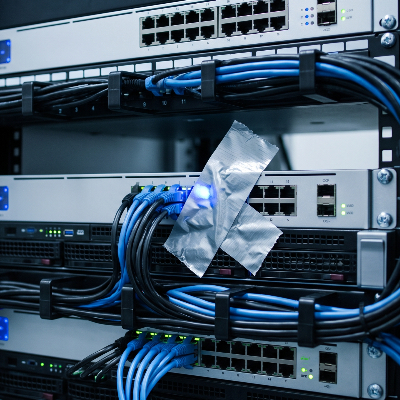
 Think about your morning routine. You sit down with your coffee, open your inbox, and start clearing out the noise. Among the newsletters and internal updates, you see an urgent notification: a vendor invoice is overdue, a cloud storage subscription failed to renew, or a major shipping provider needs you to confirm delivery details.
 You Can’t Manage What You Can’t See
 Dependable IT support is essential for all firms in the current digital world. Having the right technology in place is crucial to remain efficient, secure, competitive, or current in your field. In the end, you also need competent In-House IT specialists to manage all these technological requirements.
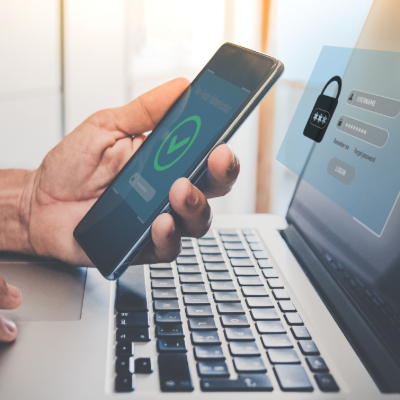 Every business owner understands the importance of physical security—locking the doors, setting the alarm, and controlling who has a key to the office… but, what about your digital assets? Your customer records, financial data, and intellectual property are far more valuable than the office furniture, yet often lack the same level of protection.


 Microsoft Copilot is an AI assistant seamlessly integrated into the Microsoft 365 apps your business already uses. Think of it as a highly capable assistant sitting in on your meetings and helping with your daily tasks, but without the overhead. Instead of sifting through hours of meeting recordings or long email threads, Copilot does the heavy lifting, helping your team focus on what really matters. It's designed for small to medium-sized businesses that want to boost productivity without a steep learning curve.
 AI is quietly changing the game for businesses in 2025—but not everyone is ready. Some business owners are already seeing massive growth from AI-driven insights and automation, while others don’t even realize they’re falling behind. If you're running a business in the Tri-State Area, you've likely heard lots of buzz about AI. Maybe you dismissed it, thinking it’s just for big tech companies, but guess what? It’s a lot more accessible than you think!
 Luckily, most people will, if they have an eligible device, upgrade to Windows 11. The promise of new innovations with productivity, connectivity, and creativity is now a reality. For those who can't upgrade due to their device not having the right specs, and who don’t want to buy a new device, Windows 10 will be the right choice. Microsoft said it will continue to support Windows 10 until October 2025, and there will even be updates to it later this year.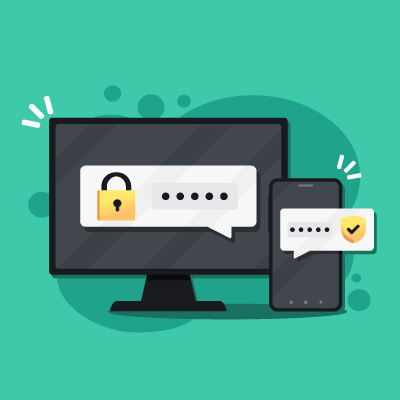

 When RMHC® of Huntington needed a new computer for their volunteer office, NIS answered the call. As a small business, we understand that financial constraints can dictate and restrict purchases, even of items that are needed. That's why, when we first saw their request for donations to purchase a new computer for their volunteers to use, we knew we needed to help. This was a simple way we could give back to this organization that gives so much to our community. We are grateful for the needs that they meet and the care they provide, and are thankful that we could meet a need of theirs.
 In honor of Customer Service Week, we recognize and celebrate our Team and their continuous hard work. We hate to brag [we don't], but we have the best Team.